Projects and tasks, tied to the client they are for
A board for the work, with owners, dates and blockers in plain view. Every project links to its client and its numbers, so delivery and revenue tell the same story.
What you get
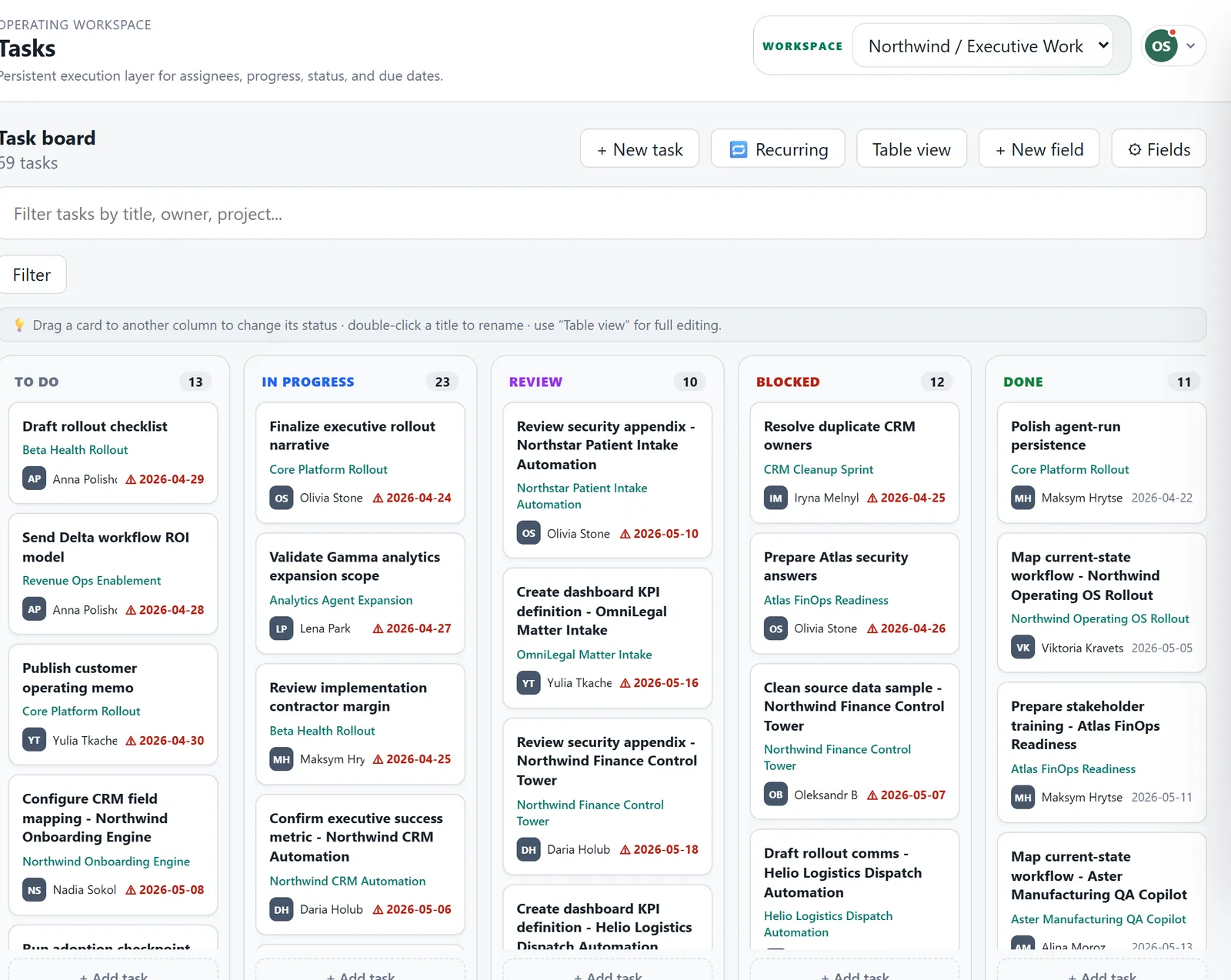
A board the team keeps current
Drag a card to change its status, rename it with a double click, or switch to a table for bulk edits.
Work that repeats itself
Set a task to repeat every week and it appears on the right day. Reminders arrive in the app, in the assistant chat or by email.
Milestones and a calendar
Projects carry milestones, and the calendar builds itself from due dates so you can see the month at a glance.
Stuck work gets noticed
When a task has been blocked for days, the operations agent flags it to its owner before the deadline slips.
From message to task
Turn any team message into a task in one click, linked back to the conversation it came from.
Client workspaces
Give a client their own workspace and choose which modules and projects they can see.
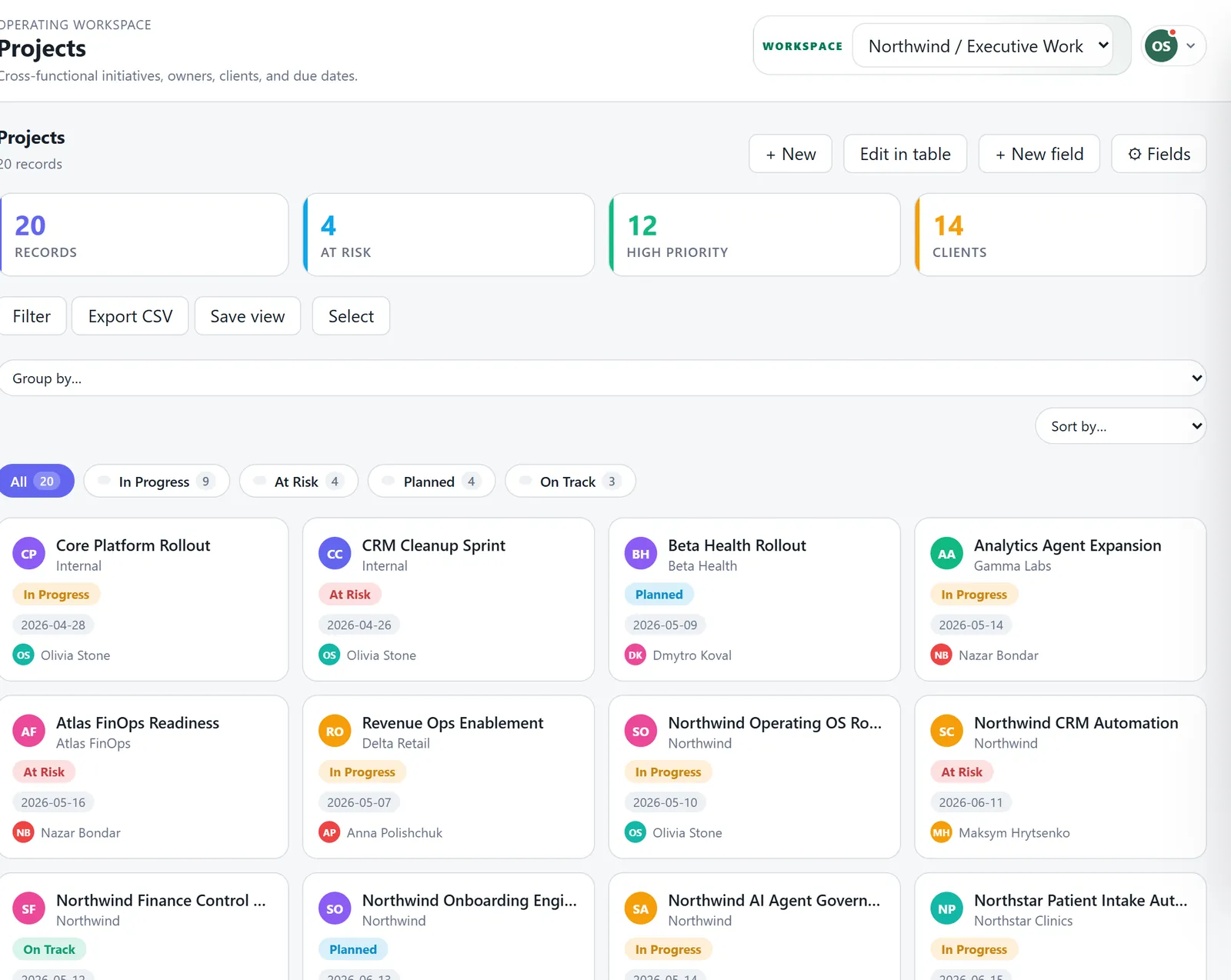
Projects with health and owners
Every project shows its client, owner, priority and status, with the ones at risk on top.
Questions
Can tasks repeat every week?
Yes. Pick the day, and the task is created each week without duplicates. You can add reminders to it.
Can clients see the work?
Yes, through a client workspace where you choose exactly what they see.
Want to try it with your team?
Join the beta and I will write to you with an invite. Or book half an hour and I will show you around the product.